Blog
A step-by-step guide using ChatGPT, Leonardo AI, ElevenLabs, and CapCut
The AI Video Revolution Is Already Here — Are You In?
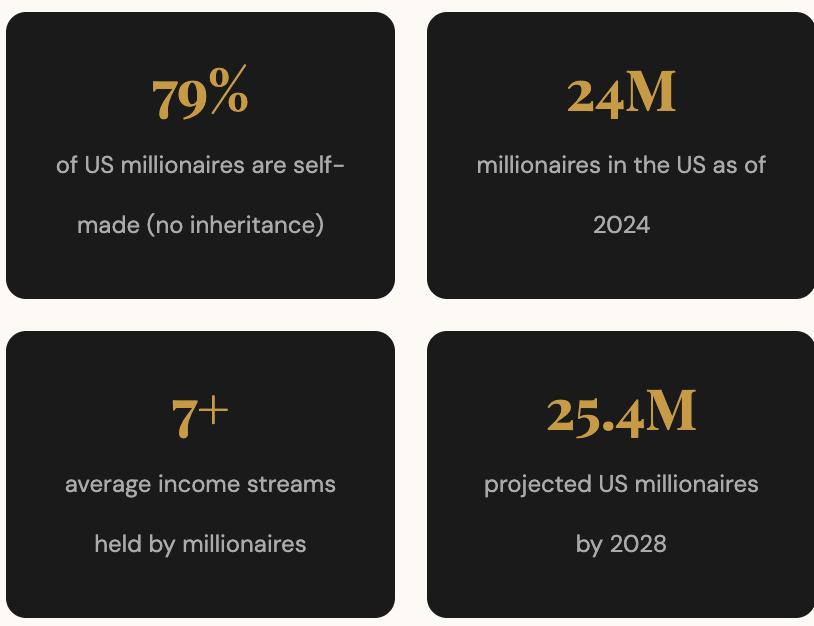
Scroll through Instagram or TikTok for five minutes and you will notice something: AI-generated videos are everywhere. Animated characters walking, talking, telling stories — and millions of people are watching them. This is not a trend on the horizon. It is happening right now, and the numbers prove it.
The global AI video market was valued at $11.2 billion in 2024 and is projected to skyrocket to $246 billion by 2034 — a staggering compound annual growth rate of 36.2%. The AI video generator segment alone is forecast to grow from $716 million in 2025 to $3.35 billion by 2034.
Over 55% of consumers already prefer personalized AI-generated videos over generic content, and 62% of marketers report that AI tools cut their content creation time by more than half.
The tools are accessible, many of them are free (or have generous free tiers), and the barrier to entry has never been lower. Whether you want to create faith-based content for children, educational storytelling, or entertainment channels, this guide walks you through the exact five-step process — from idea to fully edited video ready to publish.
Why AI Animation Is a Real Business Opportunity
Before we dive into the how, here is why this matters beyond creativity:
- $3.35 billion — projected size of the AI video generator market by 2034
- 40% — boost in product conversion rates when AI-generated demo videos are used
- 97% of learning and development professionals agree video outperforms traditional text documents
- 58% of marketing videos already use AI-generated voiceovers
- 50% of small businesses have adopted AI video creation tools
- 40–60% — expected rise in employment in AI video production by 2030
You can monetise your AI videos through YouTube ad revenue, TikTok Creator Fund, Instagram Reels bonuses, affiliate marketing, print-on-demand product promotion, and selling the service itself to other creators or businesses.
The Five-Step Process
① Step 1: Write and Refine Your Story with ChatGPT
Every great video starts with a story. If you already have an idea — even a rough one — bring it to ChatGPT and let it do the heavy lifting.
What to include in your prompt:
- Your characters and their physical descriptions (clothing colours, features, accessories — be specific)
- The setting and mood
- The core storyline or message
- A request for: scene-by-scene image prompts, narration script, and character dialogue
Example approach: Create three distinct characters, describe each one precisely. If you have a boy in red, a girl in blue with a specific dress style, and a blue dog, write those details into the prompt. ChatGPT will generate all three content types in one go: the image prompts for each scene, the narration, and the dialogue. You can also ask for them separately if you prefer to review each stage before moving on.
Pro tip: The more specific your character descriptions, the more visually consistent your images will be across scenes. Include shoe colour, hairstyle, skin tone, and any unique accessories.

② Step 2: Generate Consistent Images with Leonardo AI
Once your scene-by-scene prompts are ready, head to Leonardo AI (free credits are available on sign-up).
Settings that work well for YouTube content:
- Model: Phoenix 0.9
- Speed: Fast
- Aspect ratio: 16:9
- Output: 4 images per generation (gives you options)
- Size: Large
How to maintain character consistency across all scenes:
This is the most critical step most beginners skip. Without consistency, your characters will look different in every scene and the video will feel disjointed.
- Free version — Copy Seed: After generating your first image, click the three-line menu on the image you like best and select “Copy Seed.” When generating the next scene, go to Advanced settings and paste the seed number there. This anchors the visual style across generations.
- Paid version — Image to Image: Upload your preferred image from scene one as a reference when generating each new scene. Leonardo will carry over the style, colours, and character features automatically.
- Add character descriptions to every prompt: Wherever a character appears in a new prompt, paste in their full description — “Daniel dressed in red with white sneakers and short dark hair” — every single time. Repetition here is the key to consistency.
After generating all your scenes, review each set of four images, pick the one that best matches your story moment, and download it. You will end up with a full set of scene images ready for animation.
③ Step 3: Create Voiceovers with ElevenLabs
ElevenLabs offers free credits to start and has an enormous library of AI voices including cartoon-style voices perfect for animated storytelling.
For each character:
- Go to Text to Speech in ElevenLabs
- Paste the character’s dialogue (generated by ChatGPT in Step 1)
- Search for a voice that suits that character — try several and listen before committing
- Generate and download the audio file
Keep these in a clearly labelled folder. You will be matching them to video clips in Step 5, and good organisation saves significant time.
Do the same for your narrator — the narrator’s voice can be warmer and more storytelling in tone than the character voices.

④ Step 4: Animate Your Images into Videos
This is where still images come to life. Tools like Runway ML let you upload an image and describe the motion you want.
How it works:
- Upload one of your scene images
- Write a motion prompt — “the children are walking forward through a sunlit field” or “the dog turns its head and wags its tail”
- Generate the clip (typically 4–5 seconds of smooth motion)
- Add lip sync: upload the character’s audio file, and the tool will animate the character’s mouth to match the words
Lip sync workflow:
- In the platform’s lip sync feature, upload your character audio
- Select the video clip where that character is speaking
- Generate — the character’s lips will move in sync with the dialogue
You now have video clips where characters walk, move, and speak — all from still images you generated in Step 2.
Repeat for every scene. For scenes where characters are not speaking, you still add motion (walking, looking around) but skip the lip sync step.
⑤ Step 5: Edit Everything Together in CapCut
CapCut is free and works on both desktop and mobile. This is where your project becomes a finished video.
Editing workflow:
- Upload all your video clips and audio files
- Arrange clips in story order on the timeline
- Place narrator audio tracks beneath the corresponding video clips — align them so the narration matches the scene
- Add transitions between clips (CapCut has a full library — choose ones that suit your tone)
- Apply effects to give scenes cinematic movement
- Add background music
On music: Use only royalty-free music if you plan to monetise on YouTube. Options include the YouTube Audio Library (free), Epidemic Sound (paid subscription with full commercial licensing), or AI-generated music. Avoid using popular commercial tracks — copyright claims will block monetisation.
Final export settings:
- Quality: High (1080p or higher)
- Format: MP4
- Frame rate: 24 or 30fps
Listen through the entire video once before exporting. Check that narration timing matches scenes, transitions feel smooth, and the volume balance between voice and music is comfortable.
What Your Finished Video Can Look Like
A well-executed AI animated story — three characters, six to eight scenes, narration and dialogue — can be produced in a single focused session using these five steps. The visual quality is striking, the characters remain consistent throughout, and the lip sync makes them feel genuinely alive.
The content possibilities are wide open: Bible stories for children, fairy tales, historical lessons, motivational stories, product explainers, or original series with recurring characters.
How to Make Money With Your AI Videos
Once you have your video:
▶ YouTube — Build a channel around a theme (faith content, children’s stories, motivational animation). Monetise through the YouTube Partner Programme once you hit the threshold.
▶ TikTok and Instagram Reels — Short clips from your videos drive traffic to your longer YouTube content or directly to affiliate products.
▶ Affiliate Marketing — Recommend products relevant to your audience within or around your videos. A children’s storytelling channel can promote educational apps, books, or family products.
▶ Print on Demand — Use your AI characters as the basis for merchandise — t-shirts, mugs, wall prints featuring the characters from your stories.
▶ Selling the Service — Churches, educational organisations, and small businesses are actively looking for people who can produce this type of content. You can offer it as a freelance service.
AI animation has made what was once an expensive, specialized skill completely accessible. With the right tools and a clear script, you can produce a polished animated video in under an hour — even on your very first try.
The best place to start? Pick one tool, take your most important message, and build your first short video today. The learning curve is short, and the results speak for themselves.